
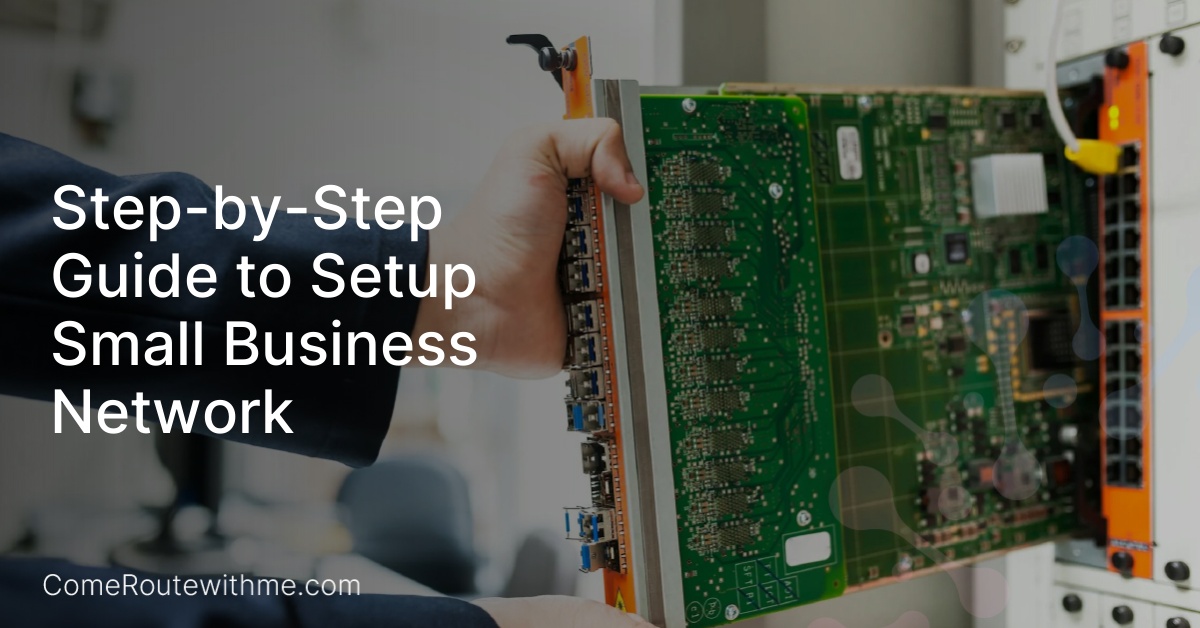
Welcome to our comprehensive guide on setting up a small business network. Whether you’re a startup or an established business, having a reliable network is essential for seamless communication and efficient operations. In this article, we will walk you through the step-by-step process of setting up your own small business network.
From evaluating network types to choosing the right hardware, we’ve got you covered. Our expert advice will help you make informed decisions to ensure your network meets your business’s unique needs. So let’s dive in and get your small business network setup started!
Evaluating Network Types for Your Small Business
When it comes to setting up a small business network, it’s crucial to evaluate different network types to determine the best fit for your unique needs. In this section, we will explore the advantages and drawbacks of wired, wireless, and hybrid networks, and highlight the key factors to consider when selecting the right option for your small business.
Wired Network
- Advantages: Wired networks offer faster and more reliable connections, making them ideal for businesses that require high bandwidth and consistent performance. They provide secure and dedicated connections, minimizing the risk of unauthorized access.
- Drawbacks: The main drawback of a wired network is the limitation of physical connectivity. It requires cables to connect devices, which can be cumbersome to install and restrict mobility within the office space.
Wireless Network
- Advantages: Wireless networks provide the flexibility and convenience of connecting devices without the need for cables. They offer mobility within the office and accommodate devices with built-in wireless capabilities. Wireless networks are easier to expand and reconfigure as the business grows.
- Drawbacks: The main drawback of a wireless network is the potential for signal interference and limited range. They may experience slower speeds compared to wired networks, especially in areas with multiple devices or physical obstacles that hinder signal transmission.
Hybrid Network
- Advantages: Hybrid networks combine the benefits of both wired and wireless networks. They allow businesses to leverage the speed and reliability of wired connections for desktop computers and utilize wireless connectivity for mobile devices and remote areas within the office.
- Drawbacks: The main drawback of a hybrid network is the complexity of managing both wired and wireless components. It requires careful planning and configuration to ensure seamless integration and efficient utilization of resources.
By evaluating the advantages and drawbacks of wired, wireless, and hybrid networks, you can make an informed decision for your small business network setup. Consider factors such as network speed requirements, device mobility, and the need for scalability. Next, we will delve into the specific hardware requirements for each network type, providing you with a comprehensive guide to setting up your small business network.
Hardware Requirements for a Wired Network
Setting up a wired network for your small business requires specific hardware components to ensure reliable connectivity and efficient data transfer. Here are the key hardware requirements you need to consider:
- Ethernet Network Adapter: This is a crucial component for connecting devices to your wired network. Ensure that each device has a compatible ethernet network adapter.
- Ethernet Hub or Switch: To establish connections between multiple devices, you’ll need an ethernet hub or switch. These devices allow for seamless communication within the network.
- Ethernet Router (if needed for internet connection): If you require internet access for your wired network, you’ll need an ethernet router. This device acts as a gateway between your local network and the internet.
- Modem: For internet connectivity, you’ll require a modem that connects your network to your internet service provider’s network.
- Ethernet Cables: Ethernet cables are used to establish physical connections between devices, adapters, hubs, switches, and routers. Ensure you have enough cables of the appropriate length for your network setup.
By having these essential hardware components in place, you can create a reliable and high-performing wired network for your small business.
Hardware Requirements for a Wireless Network
When setting up a wireless network for your small business, there are a few essential hardware components that you’ll need to ensure a smooth and reliable connection. Let’s take a look at the key requirements:
1. Wireless Network Adapter
A wireless network adapter is a device that allows your computer or other devices to connect to a wireless network. This adapter is responsible for sending and receiving data wirelessly, so it’s crucial to choose a reliable and high-performance option. Make sure to select an adapter that supports the latest wireless standards, such as Wi-Fi 6, for faster speeds and improved connectivity.
2. Wireless Router
The wireless router is the heart of your wireless network. It acts as a central hub that connects all your devices to the internet and allows them to communicate with each other. Look for a router that offers strong Wi-Fi coverage, advanced security features, and the ability to handle multiple devices simultaneously. Consider the size of your office space and the number of devices that will be connected to determine the appropriate router specifications.
3. Optional Devices
In addition to the network adapter and router, there are a few optional devices that can enhance your wireless network setup:
- Wi-Fi Range Extenders: These devices can help extend the range of your wireless network, ensuring a strong signal in every corner of your office.
- Wireless Access Points: If you have a larger office or multiple floors, you may need to install wireless access points to ensure seamless coverage throughout the space.
- Wireless Network Switch: A wireless network switch allows you to connect wired devices, such as desktop computers or printers, to your wireless network. This can be useful if you have devices that don’t have built-in wireless capabilities.
By properly selecting and configuring the hardware components listed above, you’ll be well-equipped to set up a reliable and efficient wireless network for your small business. Remember to prioritize security by setting up strong passwords and enabling encryption protocols to protect your sensitive data.
Hardware Requirements for a Hybrid Network
Setting up a hybrid network for your small business requires specific hardware components to ensure seamless integration between wired and wireless devices. Here, we will outline the essential hardware requirements for a hybrid network setup.
Network Adapter
A network adapter is a crucial component of a hybrid network as it allows devices to connect to both wired and wireless networks. Make sure to select a network adapter that supports both Ethernet and Wi-Fi connectivity.
Hybrid Router
To enable communication between wired and wireless devices, a hybrid router is essential. This type of router allows for the simultaneous connection of wired desktops and portable wireless devices, providing flexibility and convenience for your small business.
Ethernet Cables
Ethernet cables are required to connect wired devices to the hybrid router. Ensure that you have enough cables to connect each wired device within your network. It is recommended to use Cat5e or Cat6 Ethernet cables for optimal performance.
By investing in the necessary hardware components, such as a network adapter, hybrid router, and Ethernet cables, you can easily set up a hybrid network that combines the advantages of wired and wireless connectivity for your small business.
Install a Wired Network for Small Business
Setting up a wired network for your small business is a reliable and secure option that ensures fast and consistent connectivity. Here, we provide a step-by-step guide to help you install a wired network with ease.
Steps to Installing a Wired Network:
- Connect Cables: Start by connecting Ethernet cables from the router or hub to each device in your network. This includes desktop computers, printers, and any other wired devices. Ensure that each cable is securely plugged into the corresponding Ethernet port.
- Install Network Adapters: Next, install network adapters on devices that do not have built-in Ethernet capabilities. This includes laptops and some newer desktop models. Simply insert the network adapter into an available USB port, and the device will automatically recognize and install the necessary drivers.
- Set Up the Router: Once all devices are connected and network adapters are installed, it’s time to set up the router. Connect one end of an Ethernet cable to the router’s LAN port and the other end to your computer. Access the router’s configuration page by typing its IP address into your web browser. Follow the manufacturer’s instructions to set up your network’s name (SSID) and password.
By following these steps, you can successfully install a wired network for your small business. Remember to ensure that all devices within your network are running the same version of Windows to avoid compatibility issues.
Tips for Setting Up a Small Business Network
Setting up a small business network can be a complex task, but with the right tips and guidance, you can ensure a smooth and efficient setup process. Here are some valuable tips to help you navigate the process and maximize the functionality of your network:
1. Choose business-grade switches and routers
When setting up your small business network, it’s important to invest in high-quality, business-grade switches and routers. These devices are designed to handle the demands of a business network, providing reliable and secure connections. Look for switches and routers that offer advanced features such as VLAN support, Quality of Service (QoS) prioritization, and built-in security features to protect your network.
2. Design your network for scalability
As a small business, it’s important to plan for growth and ensure that your network can accommodate future expansion. Design your network with scalability in mind by using modular switches that allow you to add more ports as your business grows. Consider implementing a network architecture that supports easy scalability, such as a hierarchical design with core, distribution, and access layers.
3. Prioritize ease of installation and management
Setting up and managing a small business network should be straightforward and hassle-free. Opt for hardware that offers easy installation and intuitive management interfaces. Look for switches and routers that support centralized management platforms, allowing you to monitor and configure your network from a single interface. This will save you time and effort in network administration and troubleshooting.
4. Ensure reliability and redundancy
Reliability is crucial for a small business network, as any downtime can result in lost productivity and revenue. Choose switches and routers that offer built-in redundancy features, such as redundant power supplies and link aggregation, to ensure that your network remains operational even in the event of hardware failure. Implementing backup solutions, such as regular data backups and uninterruptible power supplies (UPS), can further enhance the reliability of your network.
By following these tips, you can set up a small business network that is secure, scalable, and reliable. Remember to consider your specific business needs and consult with IT professionals if needed to ensure that your network setup aligns with your goals and objectives.
Why Choose Windows for Your Small Business Network?
Windows is an excellent choice for setting up your small business network due to the numerous benefits it offers. One of the key advantages of Windows is its familiar operating system, which makes it easy for you and your team to adapt and navigate. With a user-friendly interface, Windows allows you to seamlessly manage your network, saving time and increasing productivity.
Another reason to opt for Windows is its robust and scalable nature. Whether your business is just starting or expanding rapidly, Windows can accommodate your growing network needs. The scalability of Windows ensures that your network can handle increased traffic and additional devices without compromising performance.
When you choose Windows for your small business network, you also gain access to reliable support from Microsoft. Their support team is dedicated to assisting users and resolving any technical issues that may arise. This support ensures that you can focus on your business operations, knowing that help is just a call or click away.

- Power Management for Networks: Essential Guide for Small Business Infrastructure - September 9, 2025
- Zero Trust Network Architecture for Small Businesses: An Implementation Roadmap - August 26, 2025
- SD-WAN for Small Business: A Complete Guide - August 26, 2025
